
Description
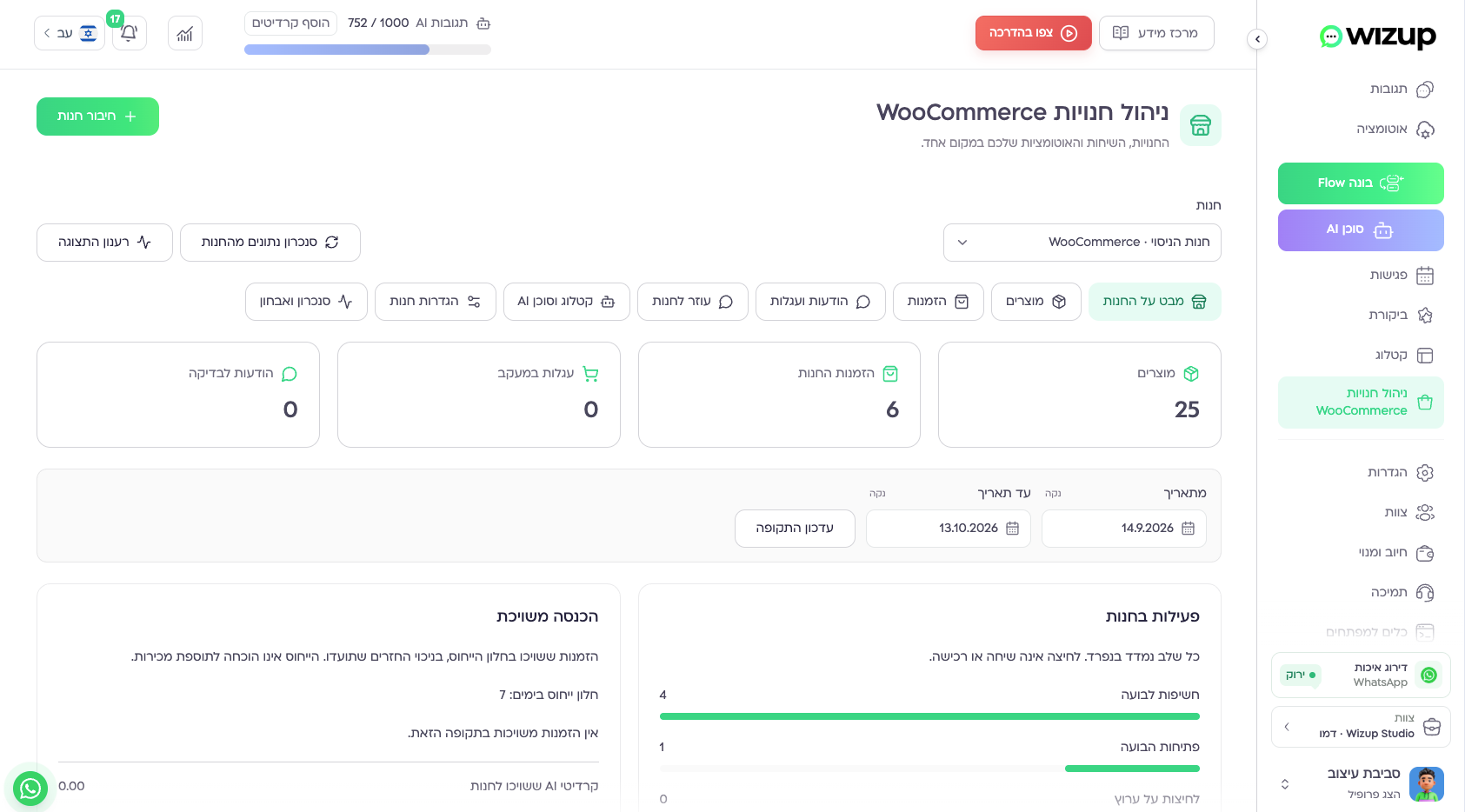
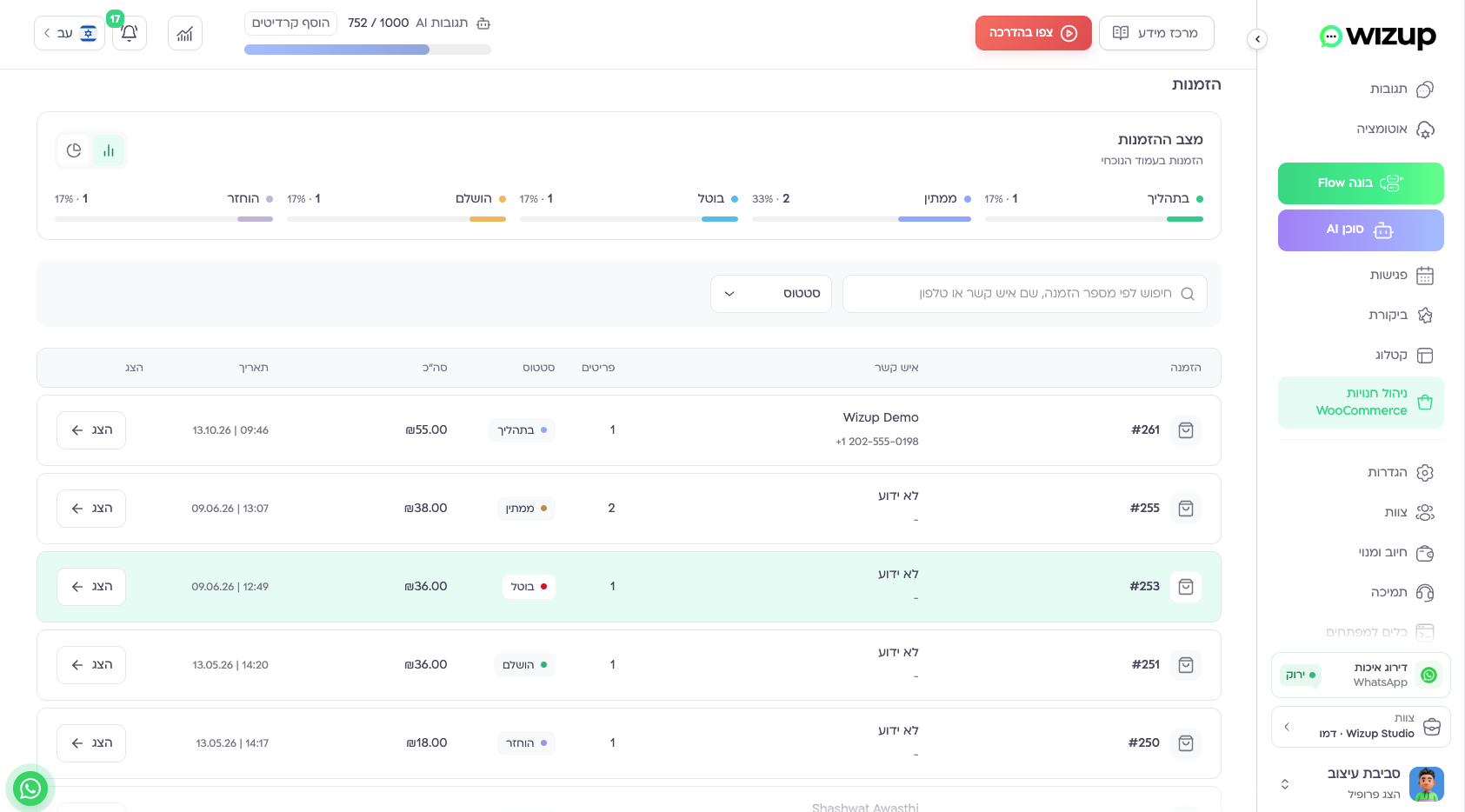
Bring your WooCommerce store into Wizup to manage customer conversations and optional store automations in one workspace. Connect each store separately, choose its permissions and enable only the features you need. Supports WooCommerce HPOS and Checkout Blocks, with a plugin interface in Hebrew, English, Russian and Arabic.
Wizup supports product and order synchronization, consent-based order updates and cart reminders, a multichannel contact bubble, product context, stock alerts and controlled coupons. Each feature is enabled separately in the connected workspace. A Wizup account is required; a usable WhatsApp channel is required to send WhatsApp messages.
🛍️ Your products and orders, connected
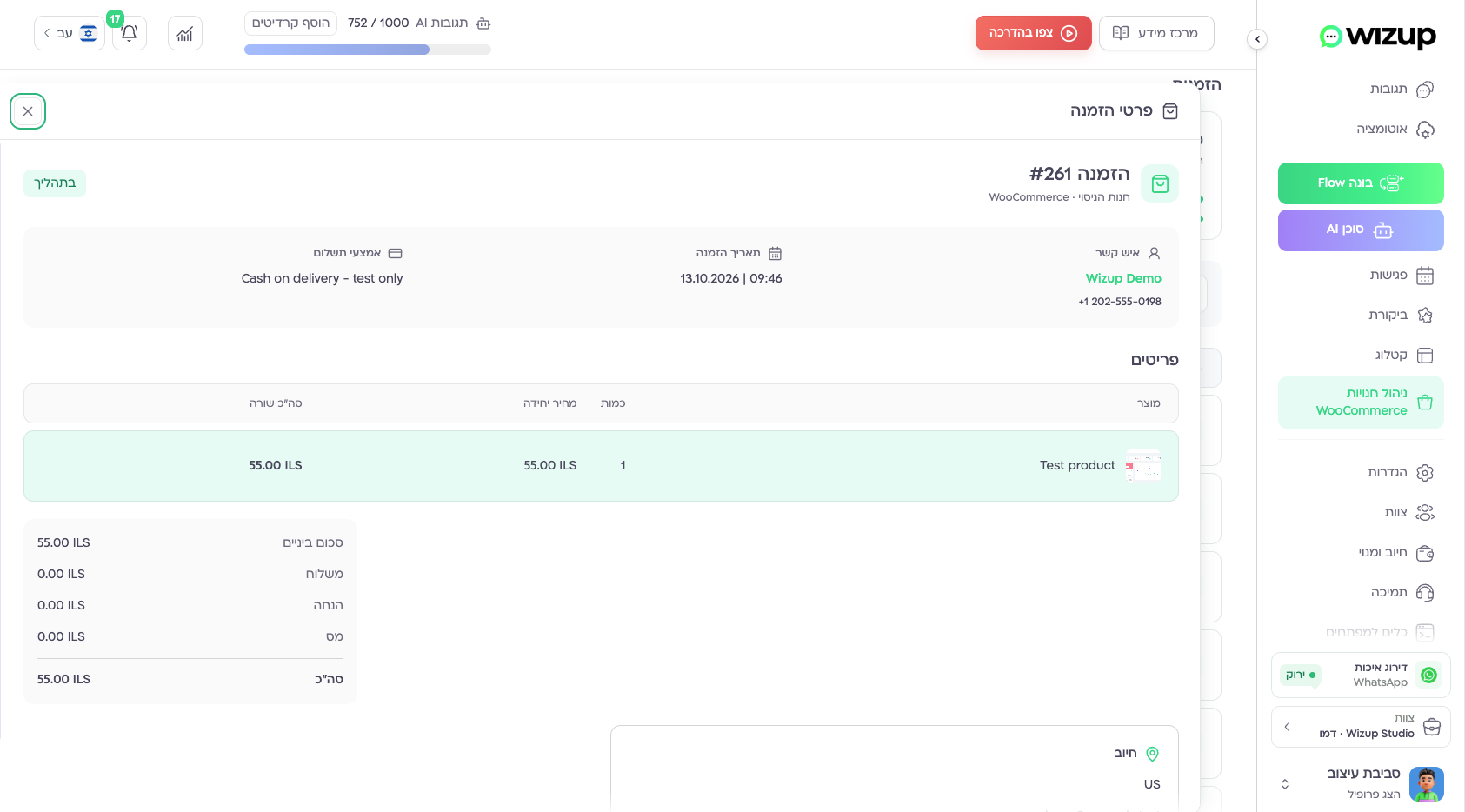
- Synchronize published products, variations and orders with your Wizup workspace in the background.
- Bring store information into customer conversations and permitted store-agent tools.
- Connect multiple stores separately, with their own settings and permissions.
💬 Order updates with a preview before you enable them
- Configure messages for selected order statuses and choose an approved message template.
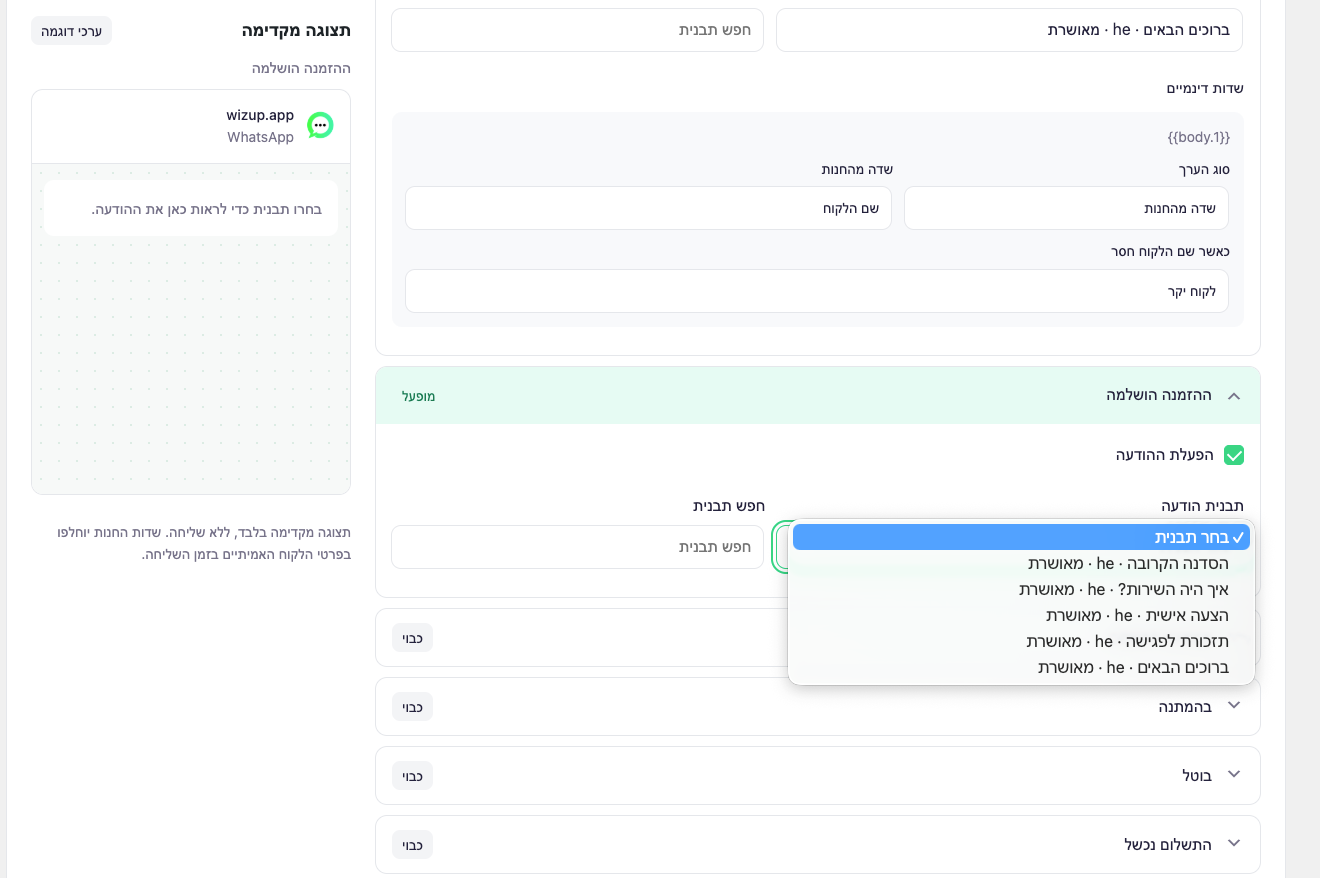
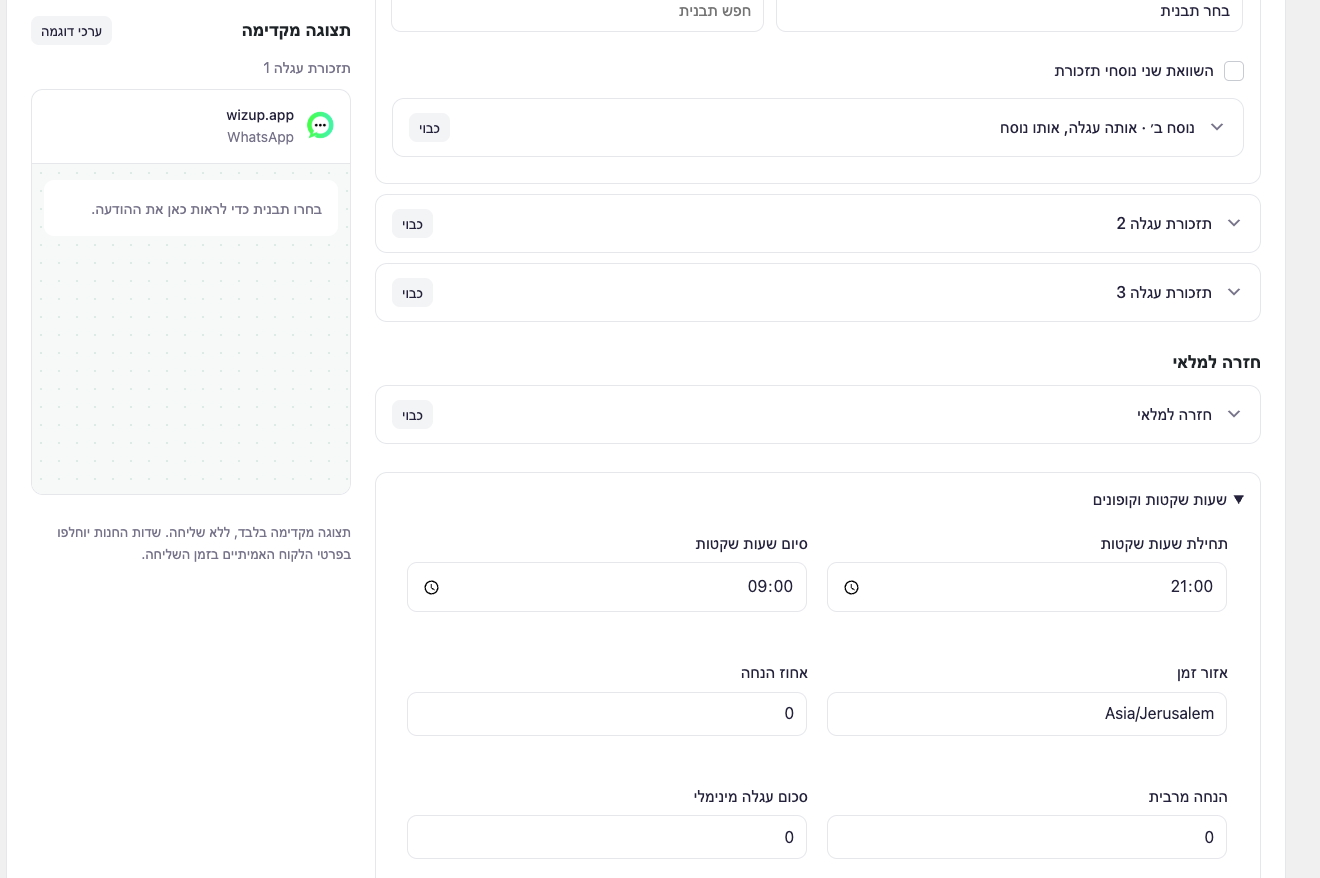
- Search templates, map dynamic fields such as customer and order details, and check the adjacent message preview.
- Set quiet hours and enable each rule separately. Installing or connecting the plugin does not start sending messages.
🛒 Cart recovery and back-in-stock reminders
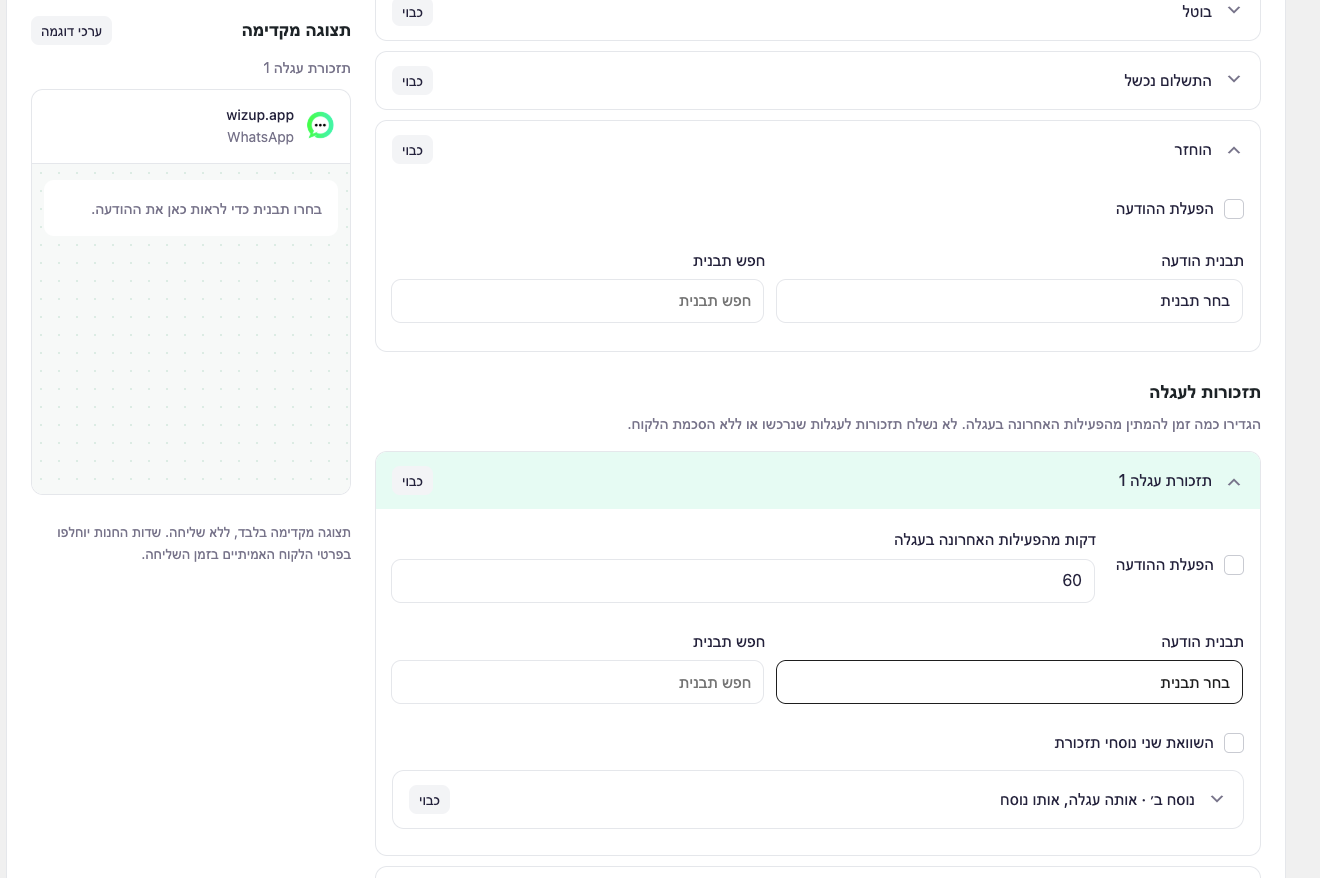
- Configure consent-based cart reminders and recovery links that restore the cart after the visitor confirms.
- Offer optional recovery coupons with limits configured for your store.
- Let customers subscribe to a back-in-stock alert for supported products when the feature is enabled.
🤖 A contact bubble that connects visitors to your team
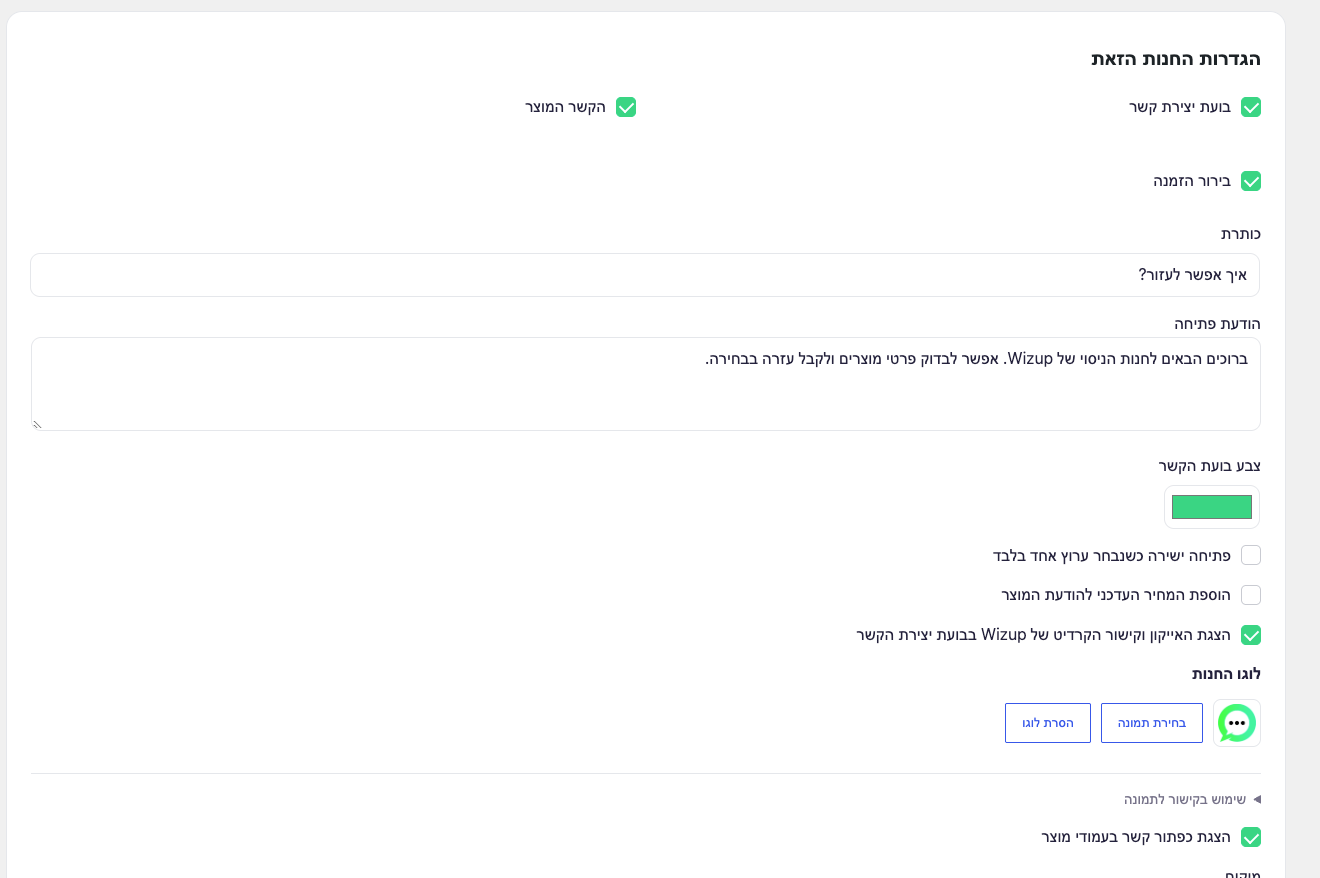
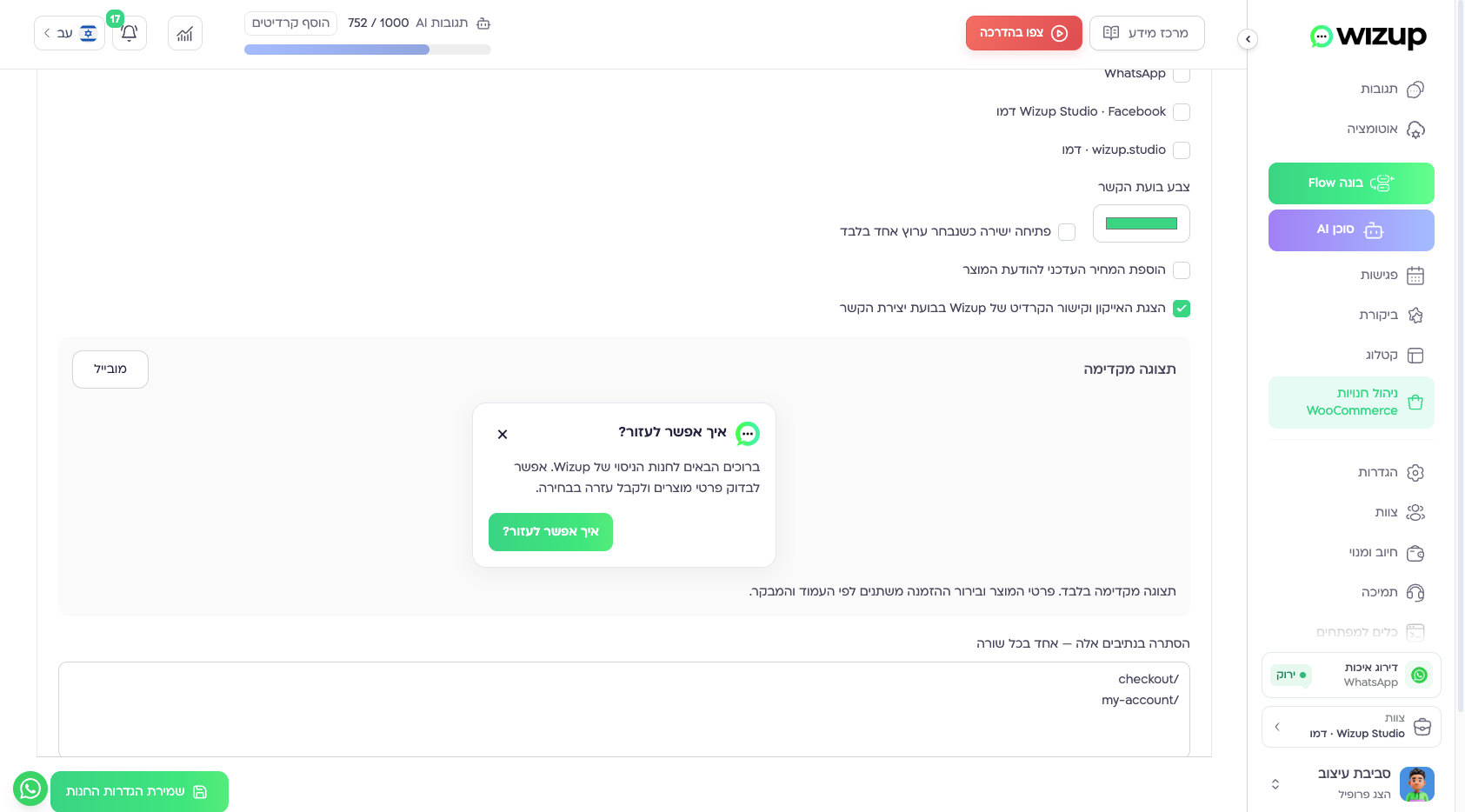
- Customize the welcome message, upload your logo and choose the bubble color, position and supported devices.
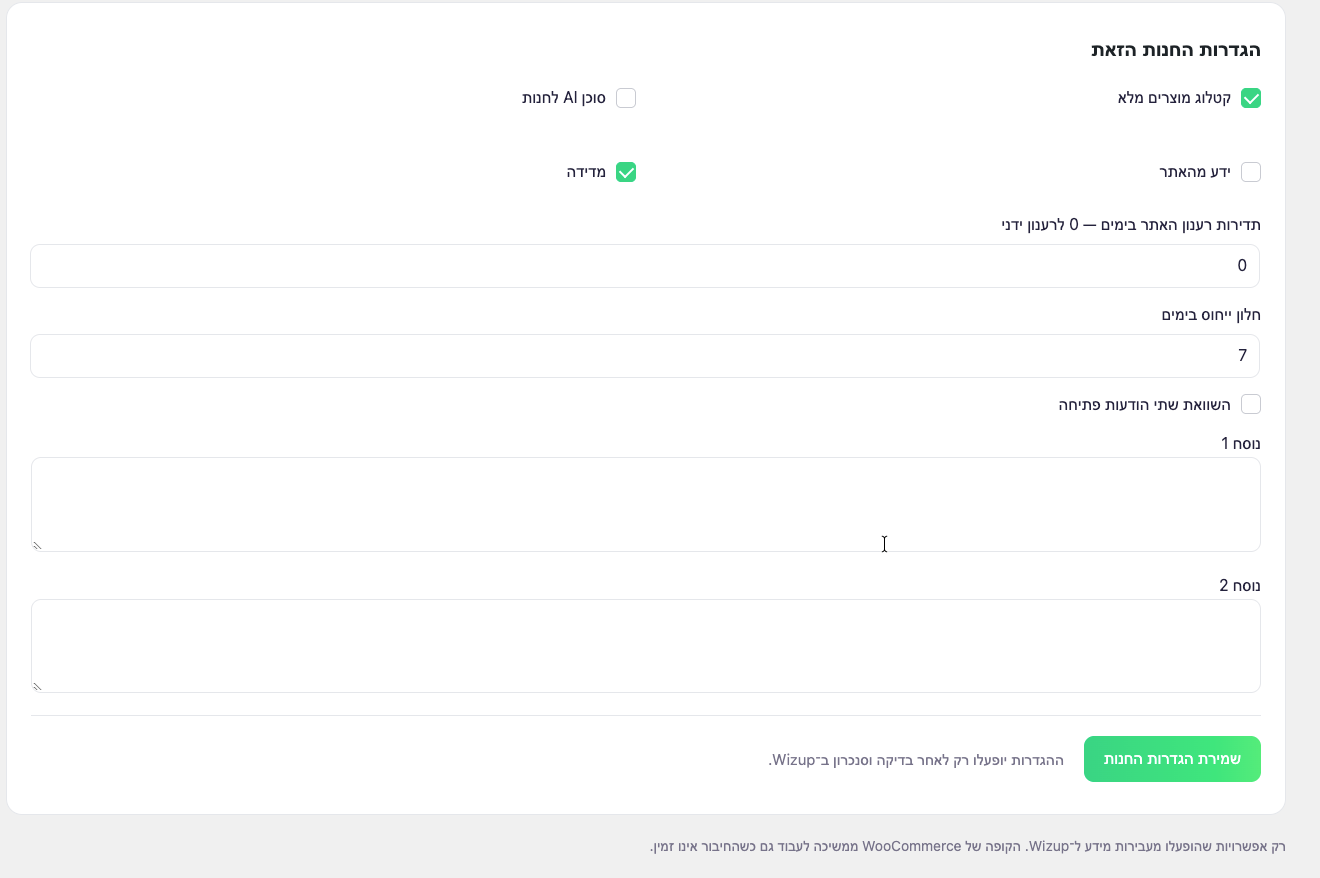
- Select connected WhatsApp, Messenger or Instagram channels, arrange their order, and configure business hours, holidays and FAQs.
- Include product context and enabled order-enquiry tools so customers can explain what they need.
- Use an assigned AI agent or Flow in Wizup to handle conversations through an enabled messaging channel. The bubble itself is a contact panel, not an embedded AI chat.
🔒 Control for every store
- Enable only the features and permissions you need; replace connection credentials or disconnect a store from its workspace.
- Protect order details with ownership checks. An order number alone does not grant access.
- Review contact-bubble activity and recovery-link attribution in Wizup when store analytics is enabled.
- Use the plugin interface in Hebrew, English, Russian or Arabic, with right-to-left support where appropriate.
External services
Only after the store administrator connects and enables a feature, the plugin sends selected product details, order details, cart contents, contact information and messaging consent to the configured Wizup workspace. Wizup processes this data for the enabled features. Public channel links open WhatsApp, Messenger or Instagram only when a visitor chooses a channel.
When store analytics is enabled, the plugin also sends contact-widget views, opens, selected channel clicks and the experiment variant to Wizup to measure the enabled store features. The widget keeps its experiment choice in browser sessionStorage under wizup-variant. Local rate limiting uses a hash of the visitor IP; the widget analytics payload does not include that IP. Cart recovery uses the existing WooCommerce session to restore the cart after visitor confirmation; enabled recovery links also report recovery clicks and store attribution to Wizup.
A compatible Wizup commerce workspace and its background synchronization service are required. WhatsApp delivery is performed by that workspace through its configured provider. This plugin does not connect directly to Meta or enable automated sending on activation.
- Service: https://wizup.app
- Terms: https://wizup.app/terms-of-use
- Privacy: https://wizup.app/privacy-policy
Managing messages and the contact bubble
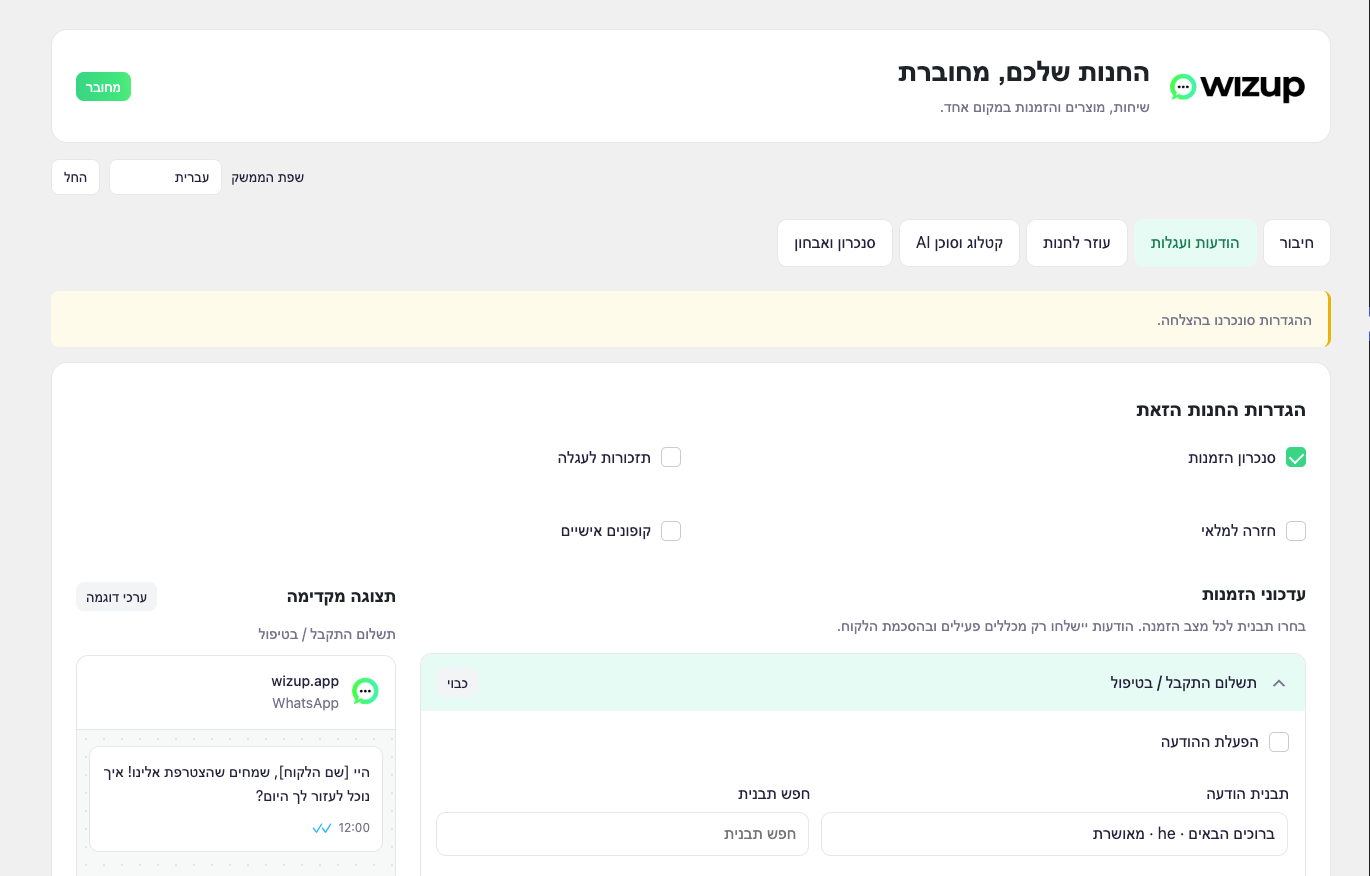
The Messages and carts section groups rules by order status, cart reminder and back-in-stock notification. Choose an approved template, map its dynamic fields, then review the adjacent preview. Preview content and the displayed time are illustrative and never send a message. Quiet hours and coupon settings remain available below the rules. Settings take effect only after Wizup validates and synchronizes them.
Store assistant controls the bubble heading, welcome message, logo, color, position, devices, selected connected channels, channel order, business hours, holidays and FAQ. Connect usable channels in Wizup before selecting them; unavailable channels are not presented as working contact methods. Public Wizup branding and its credit link are off by default; enable them only if you want them displayed. Your own logo is independent of this option.
Privacy and removal
Cart data expires after 30 days. WordPress privacy tools support cart export and removal. Disconnect stops future exports and clears connection-specific queues, cart recovery data, cached templates and pending settings. Reconnecting starts with disabled features until the new workspace configures them; old jobs cannot run for the new connection. Uninstall removes credentials and connection-specific data but retains preferences for recovery unless erase-on-uninstall is explicitly enabled. Full erasure also removes module options, language preferences and plugin tables. WooCommerce orders are never deleted by uninstall.
Screenshots
Installation
- Install the ZIP and activate Wizup with WooCommerce installed.
- Open Wizup in the WordPress menu and create a connection code.
- In your Wizup store workspace, enter this store URL and code.
- Review and enable the desired features. Connection alone does not activate sending.
- Choose the plugin interface language at the top of Wizup. This preference affects only your plugin interface, not the site or customer messages.
FAQ
-
What do I need to use Wizup?
-
You need WooCommerce and an account on the compatible Wizup service. Connect the store with its connection code, then choose the features to enable. WhatsApp messages also require a usable WhatsApp channel and the appropriate templates and rules in Wizup. Installing the plugin alone does not create a Wizup account or activate message delivery.
-
Can I use the plugin in Hebrew?
-
Yes. The plugin interface supports Hebrew, English, Russian and Arabic. Select your language at the top of the Wizup plugin screen. This changes your plugin interface only; it does not translate the storefront or customer message templates.
-
Is the contact bubble an AI chat inside my website?
-
No. The bubble shows the welcome message, product context, selected contact channels, FAQs and enabled order or stock tools. Choosing a messaging channel opens that service. A store AI agent runs in the connected Wizup workspace, through an enabled channel, only after you assign the agent and its store permissions.
-
What does the product catalog do?
-
It synchronizes published products and variations for your Wizup workspace and permitted agent tools. Product messages can include the selected variation, quantity, link and optionally price. The agent checks live availability and price before presenting them. Catalog synchronization alone does not enable an agent or send messages.
-
Can anybody view an order by guessing its number?
-
No. The website order lookup requires a signed-in account that owns the order. It returns only the permitted status, total and tracking details. A random order number, another customer’s order or a guest order is not authorized by the account lookup.
-
How can someone who checked out as a guest request order information?
-
When a selected WhatsApp channel is available, guests can enter the order number and choose Get an update on WhatsApp. The bubble opens a draft; the customer sends it from the phone number used for checkout. Automated replies require the permitted order agent or Flow to be enabled in Wizup. Wizup verifies the inbound sender and the store matches that number to the order. A WordPress account is not required for that route. Anonymous order lookup directly in the website bubble is not currently supported; an order number or typed phone number alone never proves ownership.
Reviews
There are no reviews for this plugin.
Contributors & Developers
“Wizup” is open source software. The following people have contributed to this plugin.
Contributors
Translate “Wizup” into your language.
Interested in development?
Browse the code, check out the SVN repository, or subscribe to the development log by RSS.
Changelog
2.0.0
- Separate store connections with signed requests, per-feature permissions, revocation and credential rotation.
- Background product, variation, order and consent-aware cart synchronization.
- Order updates, cart reminders and back-in-stock settings with template search, dynamic mappings and message previews.
- Configurable contact widget, product context, FAQs, logo upload, optional Wizup branding and protected order lookup.
- Guest order enquiries through a selected WhatsApp channel and verified checkout phone.
- Optional store-agent tools, bounded recovery coupons and store analytics through Wizup.
- Hebrew, English, Russian and Arabic plugin interface with RTL support.
- Reviewed legacy-setting migration, privacy export/removal, disconnect cleanup and optional full uninstall erasure.