
Description
Shrinkify Image Compression is the easiest way to drastically reduce your image file sizes without compromising quality. Powered by the Shrinkify cloud engine, it automatically converts your heavy JPEG and PNG images into modern, ultra-efficient formats like AVIF and WebP — the same formats used by Google, Netflix, and top-performing websites worldwide.
🚀 Why Shrinkify?
- Blazing Fast Optimization — Cloud-powered compression delivers results in seconds, not minutes.
- Next-Gen Formats — Full support for AVIF, WebP, optimized PNG, and JPEG output.
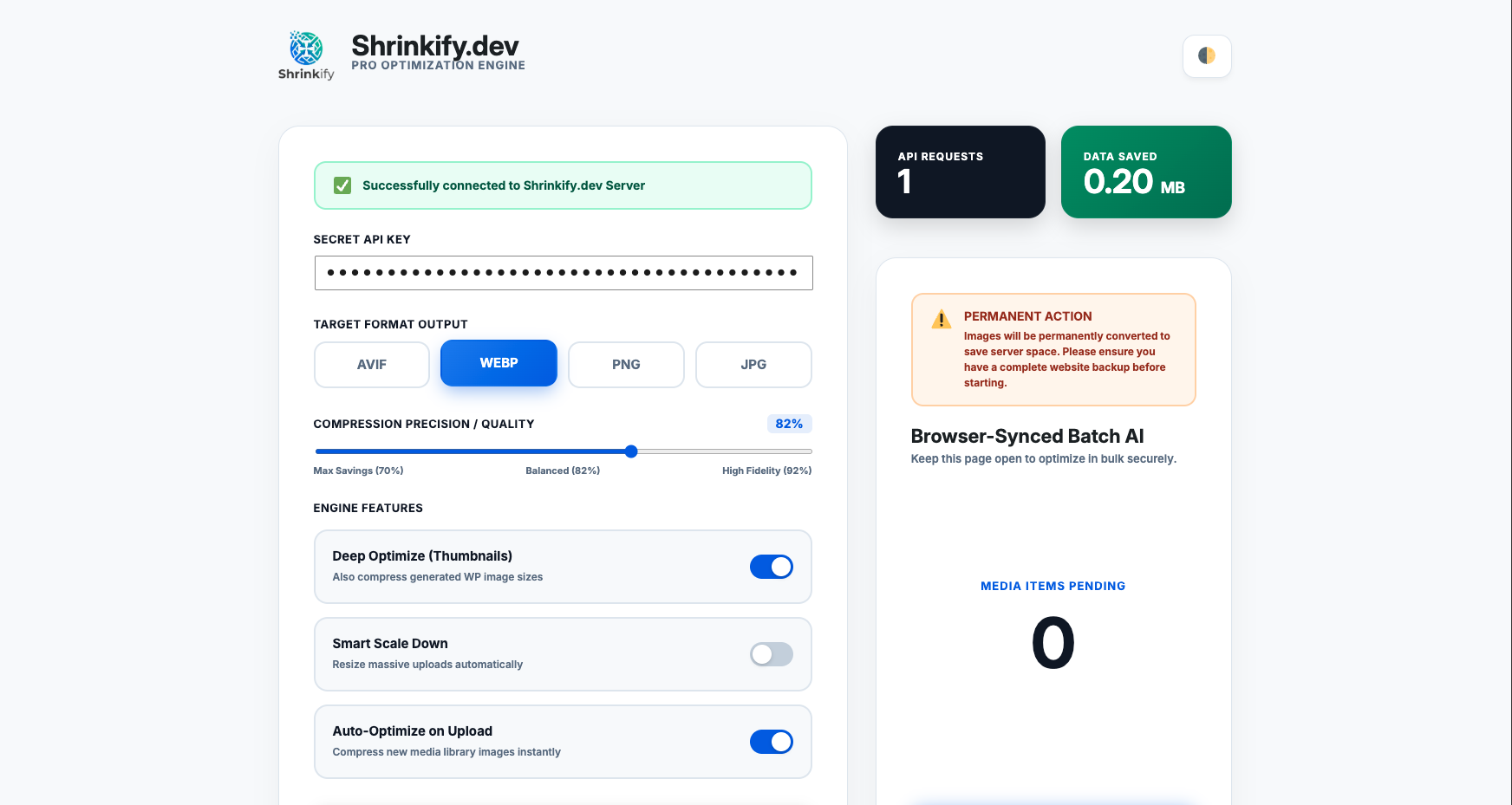
- Granular Quality Precision — Dial in your exact compression quality slider (50% – 100%) or choose smart presets.
- Media Library Integration — View real-time byte savings and optimize individual images with 1-click directly inside the Media Library.
- Auto-Optimize on Upload — Every new image is compressed the moment it hits your media library. Zero effort required.
- Deep Thumbnail Optimization — Compresses all WordPress-generated image sizes, not just the original.
- Smart Scale Down — Automatically resize oversized uploads to a configurable max width before compression.
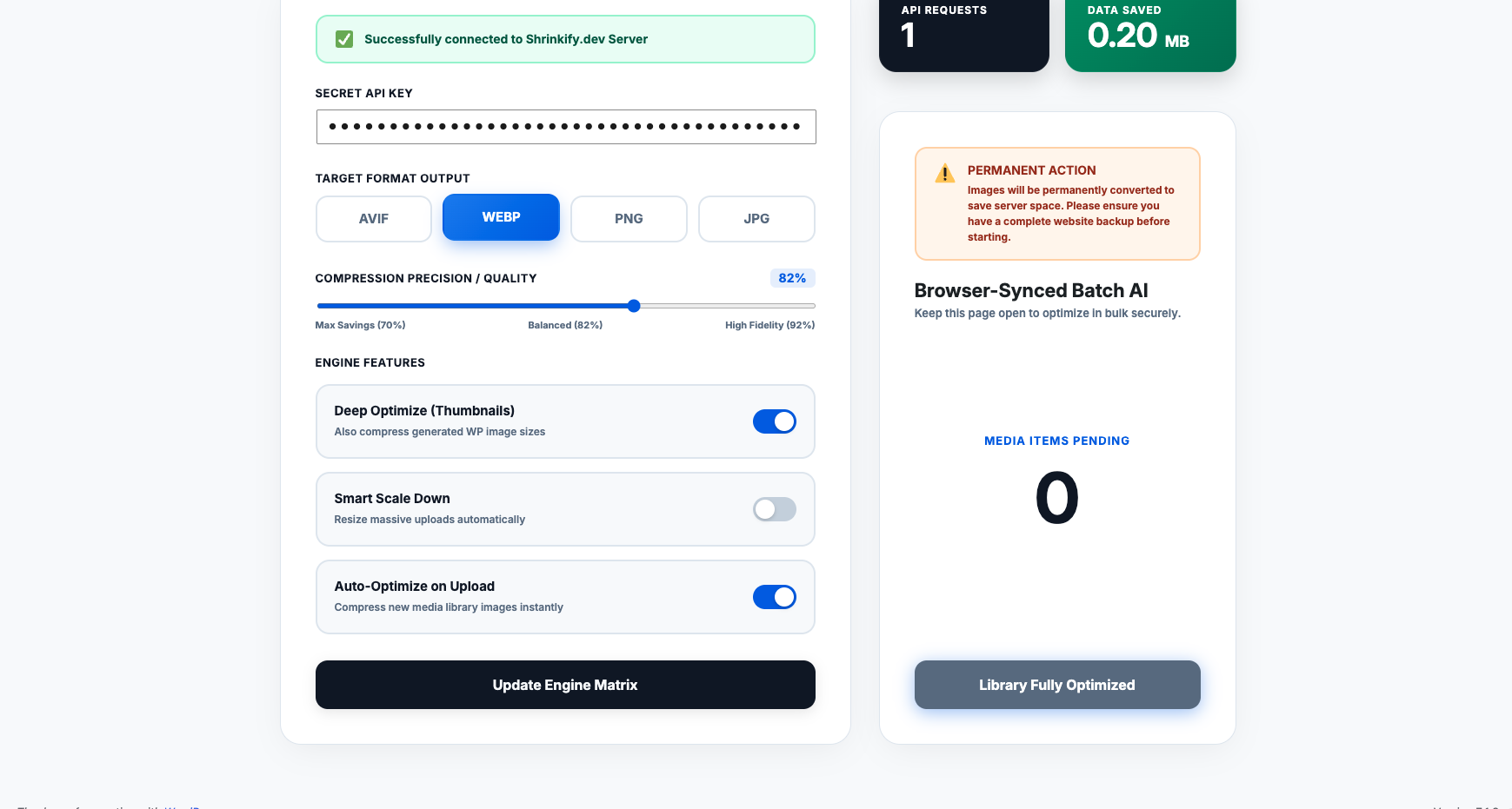
- Bulk Batch Processing — Optimize your entire existing media library with a secure, browser-synced batch engine.
- Automatic URL Replacement — Seamlessly updates all image references across posts, pages, and metadata.
- Beautiful Dashboard — A clean, corporate admin panel with dark mode, live stats, and real-time progress tracking.
- Lightweight & Fast — No bloat, no unnecessary dependencies. Built for performance.
🔒 Your Images Are Safe
Images are securely transmitted to the Shrinkify API via HTTPS, optimized in real-time, and returned to your server. Originals are never stored on our servers — they are purged immediately after processing.
External Services
This plugin relies on the Shrinkify API to compress and optimize images. When you trigger optimization (either on upload or via batch processing), your image files are securely sent over HTTPS to our cloud API at https://shrinkify.dev/.
The optimized images are returned to your server, and original files are instantly removed from our API servers. No data is retained.
- Service Provider: Shrinkify.dev
- Terms of Service: https://shrinkify.dev/terms
- Privacy Policy: https://shrinkify.dev/privacy
Screenshots
Installation
- Upload the plugin files to the
/wp-content/plugins/shrinkify-image-compressiondirectory, or install directly through the WordPress Plugins screen. - Activate the plugin through the Plugins screen in WordPress.
- Navigate to the Shrinkify menu in your admin sidebar.
- Enter your API key (get one free at shrinkify.dev).
- Choose your preferred output format (AVIF, WebP, PNG, or JPG) and quality slider.
- Start optimizing — new uploads are handled automatically, or use the batch engine for existing images.
FAQ
-
Do I need an API key?
-
Yes. You can get a free API key by signing up at shrinkify.dev.
-
Will this slow down my site?
-
No. Shrinkify makes your site faster by reducing image file sizes by up to 80%. The compression happens in the cloud, so your server resources are untouched.
-
Can I optimize images individually from the Media Library?
-
Yes! Version 1.4 introduces a dedicated Shrinkify column in your Media Library with live savings stats and a 1-click “Optimize” button.
-
Is it safe to use on a live site?
-
Yes, but we always recommend taking a backup before running batch optimization, as conversions are permanent.
-
What image formats are supported?
-
Input: JPEG, PNG, WebP, and AVIF. Output: AVIF, WebP, PNG, or JPEG (your choice).
-
Is Shrinkify SEO friendly and safe for Google Image Search?
-
Yes, 100%! Shrinkify preserves all WordPress image SEO metadata including ALT text (_wp_attachment_image_alt), captions, titles, and image dimensions (width and height). It also maintains proper MIME types and responsive image attributes (srcset and sizes) so Googlebot and mobile browsers load optimized AVIF and WebP images instantly, boosting your Google Core Web Vitals (LCP) and search rankings.
-
Is it compatible with WordPress 7.1.3?
-
Yes! Shrinkify is fully tested and certified for WordPress 7.1.3 (the latest release) and supports native AVIF & WebP workflows, modern block editor media blocks, and PHP 8.2+.
-
Are SVG and GIF files processed?
-
No. SVG and GIF files are automatically excluded from optimization to prevent conversion errors.
Reviews

Contributors & Developers
“Shrinkify Image Compression” is open source software. The following people have contributed to this plugin.
Contributors
Translate “Shrinkify Image Compression” into your language.
Interested in development?
Browse the code, check out the SVN repository, or subscribe to the development log by RSS.
Changelog
1.4
- Feature: Media Library Integration — Added dedicated Shrinkify status column with instant one-click “Optimize Now” button.
- Feature: Quality Precision Control — Added configurable compression quality slider (50% – 100%) with presets for Max Savings, Balanced, and High Fidelity.
- Feature: Instant Setup Notice & Action Links — 1-click settings shortcut right from the Installed Plugins list.
- SEO: Automatic alt tag fallback and responsive srcset preservation for maximum Google Image SEO ranking and Core Web Vitals (LCP).
- Security: Hardened against SSRF, Path Traversal, and unauthorized payload injection matching WordPress.org security guidelines.
- Improvement: Detailed Savings Tracking — Now stores original size, optimized size, and exact byte savings in attachment metadata.
- Improvement: Dynamic live quality slider feedback in admin dashboard.
- Improvement: Modernized dashboard UI with corporate blue color accents and crisp metrics.
- Fix: Added safe fallback and instant feedback when optimizing individual attachments.
- Compatibility: Fully tested and certified for WordPress 7.1.3 and PHP 8.2+.
1.3
- Security: Replaced direct file operations (file_get_contents/file_put_contents) with WP_Filesystem API for WordPress coding standards compliance.
- Security: Added nonce verification for admin settings form processing.
- Fix: Resolved duplicate filename collision — images with the same name now get unique filenames (e.g., photo-1.webp) using wp_unique_filename(), matching WordPress default behavior.
- Fix: Resolved race condition on usage and saved bytes counters using atomic database updates.
- Fix: Removed error-suppressing @ operators from file operations for better debugging.
- Fix: All error_log() calls now wrapped in WP_DEBUG checks for production safety.
- Fix: Added wp_cache_delete() after direct DB updates for proper cache invalidation.
- Fix: Removed hidden .DS_Store files from plugin package.
- Performance: Added transient caching (5-minute TTL) for API status checks — admin page loads are now significantly faster.
- Performance: Added API pacing delay between batch requests to prevent rate limiting.
- Fix: Added pagination to URL replacement queries — now handles sites with 100+ posts containing old image URLs.
- Fix: Batch process now stops after 5 consecutive errors instead of retrying silently forever.
- Fix: Saved MB display now correctly preserves the “MB” label during batch updates.
- Improvement: Added debug logging (only active when WP_DEBUG is enabled).
- Improvement: Added Text Domain header and i18n-ready strings for future translation support.
- Compatibility: Updated and improved readme with detailed description, FAQ, and external service disclosure.
- Compliance: Added phpcs:ignore annotations for intentional direct DB queries and meta_query usage.
1.2
- Fix: Excluded SVG and GIF files from auto-optimization to prevent conversion errors.
- Compatibility: Updated “Tested up to” version to WordPress 7.0.
1.1
- Performance Boost: Upgraded our core optimization engine for lightning-fast and more reliable image processing.
- Improved API connectivity for better stability.
1.0
- Initial release.