
Description
More and more people ask ChatGPT, Claude, Perplexity, Gemini or Bing Copilot instead of typing keywords into Google. These assistants look for short, self-contained answers they can quote. A well-written FAQ is exactly that format.
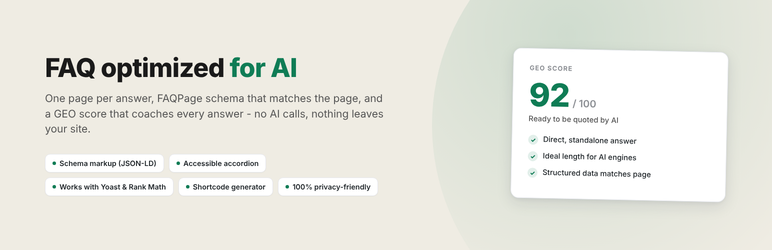
FAQ optimized for AI gives each answer its own page, publishes structured data that describes only what visitors can see, and checks your writing while you type. No AI service is called and nothing is sent anywhere: everything runs on your site.
Answers built to be quoted
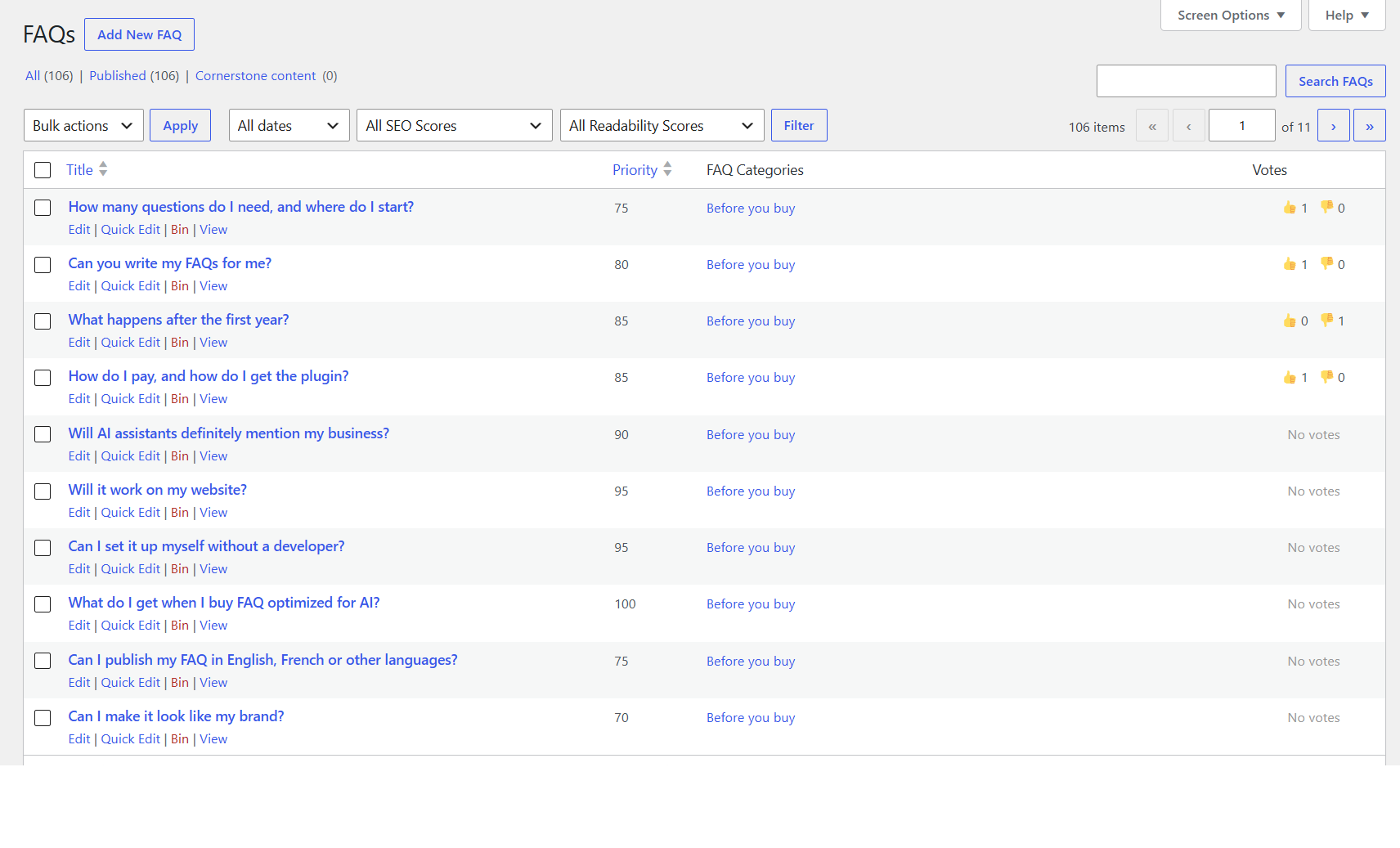
- One page per answer with its own title and address, plus an FAQ archive and category pages, created automatically.
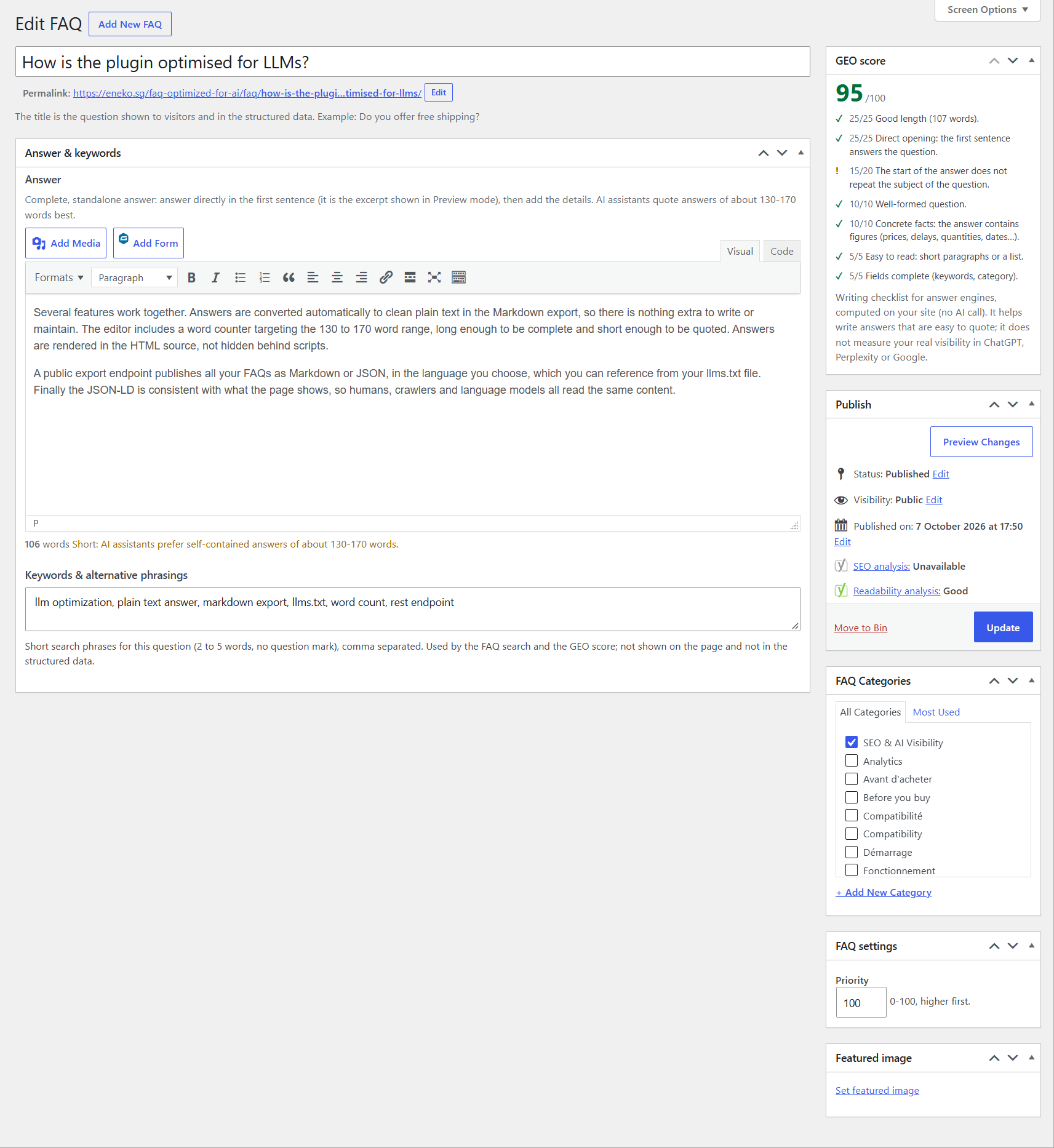
- GEO score on the edit screen: a writing checklist (direct first sentence, length, standalone answer, question wording, figures, structure, keywords) computed on your site and updated live.
- Word counter aiming at the 130 to 170 words that AI assistants quote best.
Structured data you can trust
- FAQPage JSON-LD limited to the answers shown on the page, merged into one block and de-duplicated when several FAQ lists share a page.
- ItemList for preview lists (question + link to the answer), so the archive never claims answers it does not show.
- Works alongside Yoast SEO and Rank Math (graph integration, meta description fallback, archive title).
- Hide demo content: noindex, removal from XML sitemaps and no schema in one click.
Display FAQs anywhere
- FAQ list block for the block editor: all FAQs, the FAQs of chosen categories, or FAQs you pick and reorder, with a live preview.
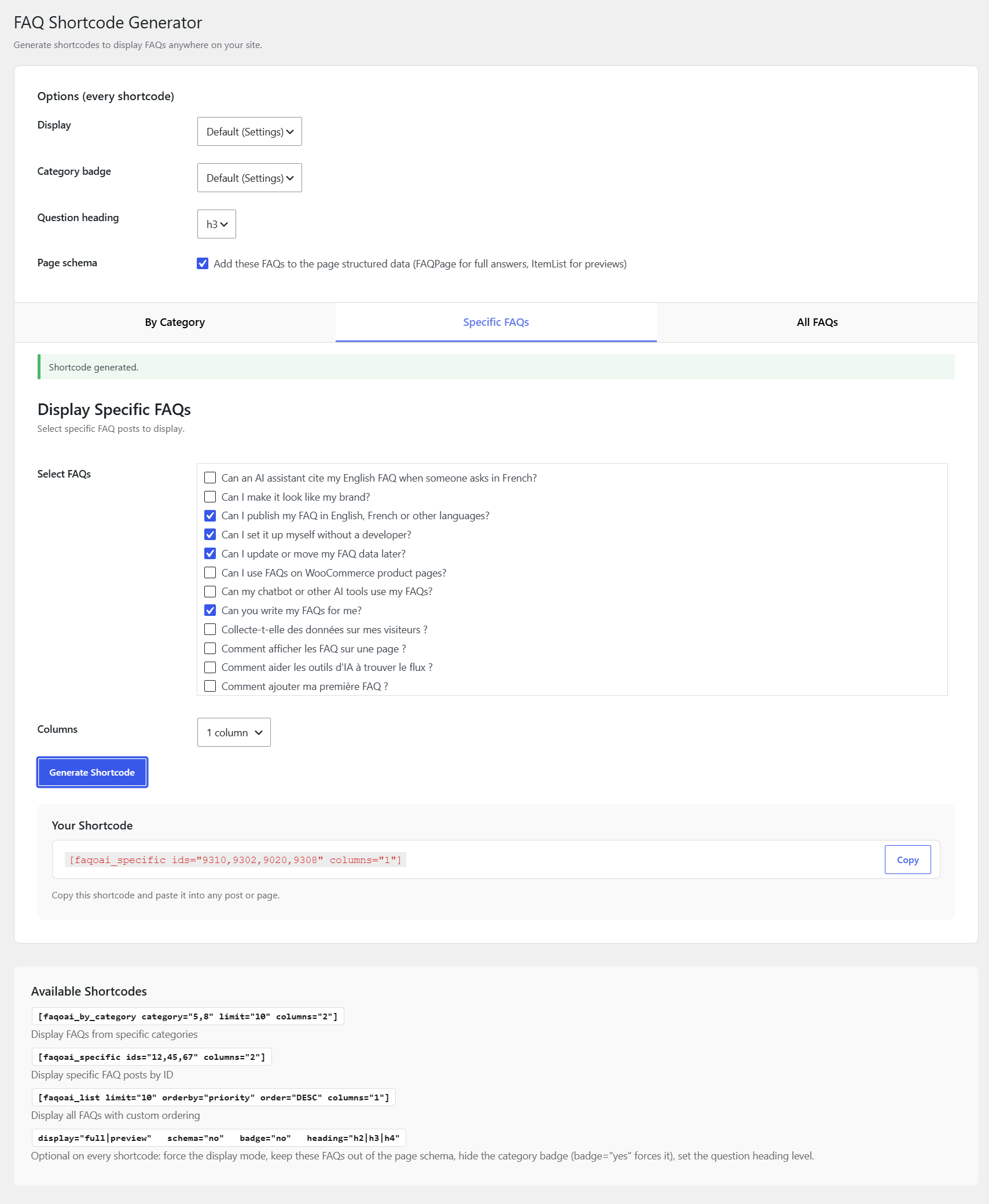
- Three shortcodes (
[faqoai_list],[faqoai_by_category],[faqoai_specific]) and a shortcode generator, for the classic editor and page builders. - Accessible accordion (WAI-ARIA, keyboard, deep links such as
#faq-123), one to three columns, preview or full answers. - FAQ search on the archive: questions, answers and keywords.
- “Was this helpful?” votes, privacy-friendly (salted hash of the IP address, rate limit, automatic anonymisation), with totals in the FAQ list.
Looks right on any theme
- Classic and block themes, template overrides in your theme (
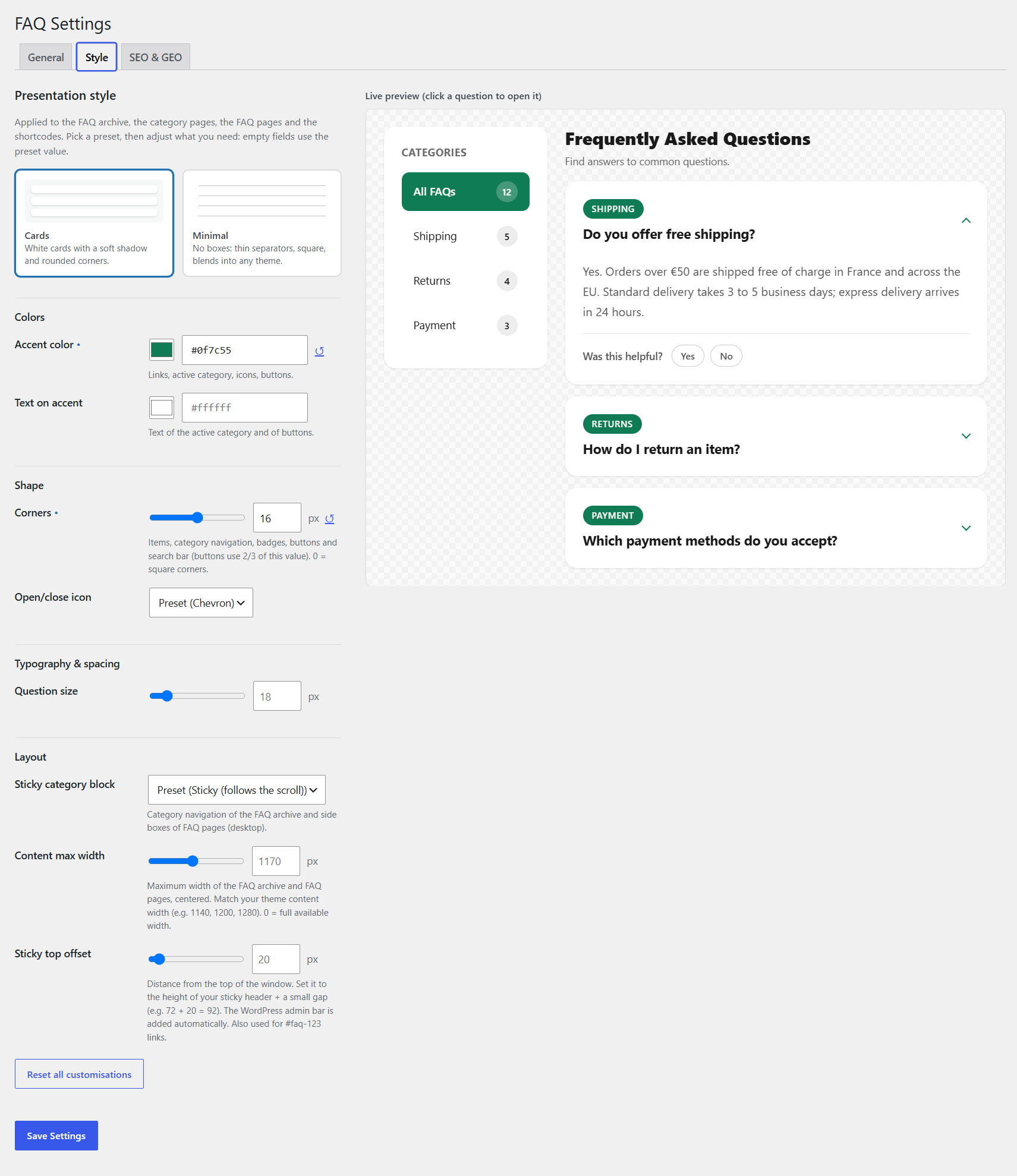
faqoai/folder). - Two styles, Cards and Minimal, with a live preview: accent colour, corners, open/close icon, question size, content width, sticky category navigation.
Premium version
A Premium version is available for larger and multilingual FAQs: FAQ generator, LLM export (JSON / Markdown), Polylang and WPML, live search, related FAQs, CSV import / export, searches with no result, AI crawler visits, GEO audit of every FAQ and more styles. It uses the same FAQs and settings, so nothing is lost when you switch: activating Premium deactivates the free version. The free version is complete on its own and has no limits on the number of FAQs.
Privacy
The plugin makes no external request. Votes store a salted hash of the visitor’s IP address (never the address itself), anonymised after 12 months by default. A suggested text for your privacy policy is added to Settings › Privacy.
Screenshots


Blocks
This plugin provides 1 block.
- FAQ list Show FAQs from FAQ optimized for AI: all, by category or hand-picked, with their FAQPage structured data.
Installation
- In your dashboard go to Plugins › Add New, search for “FAQ optimized for AI”, then install and activate it. Or upload the plugin folder to
/wp-content/plugins/and activate it. - Go to FAQs › Add New FAQ: the title is the question, then write the answer.
- Visit
/faq/to see the FAQ archive, or add the FAQ list block (or a shortcode) to any page. - Adjust the address, display mode and style in FAQs › Settings.
To try it with content, import samples/faq-samples-en.xml (or faq-samples-fr.xml) with Tools › Import › WordPress.
FAQ
-
Does it guarantee that ChatGPT or Google will quote my answers?
-
No tool can guarantee that. The plugin removes the technical obstacles (answers in the HTML, one address per answer, structured data that matches the page) and helps you write answers that are easy to quote.
-
Google stopped showing FAQ rich results. Is the schema still useful?
-
Yes. Google removed FAQ rich results in May 2026, but the structured data still gives search engines and AI crawlers an unambiguous description of your questions and answers.
-
Will it conflict with Yoast SEO, Rank Math or my theme?
-
The plugin outputs one FAQPage block per page and joins the Yoast SEO graph when Yoast is active. If another plugin already outputs the same FAQs as structured data, turn the schema off in FAQs › Settings › SEO & GEO.
-
Does it need ACF or another plugin?
-
No. Fields, post type, categories and settings are all included.
-
Which languages does it work in?
-
Any single language: visitor texts follow the site language, with translations from translate.wordpress.org. Every visitor text can also be changed with the
faqoai_stringfilter. Polylang and WPML are supported by the Premium version. -
Can I change the FAQ address?
-
Yes, in FAQs › Settings › General (for example
/questions/instead of/faq/). Old addresses redirect (301) to the new ones. -
What happens to my FAQs if I delete the plugin?
-
They stay in your database unless you tick “Also delete every FAQ and FAQ category” in the settings. Deactivating the plugin removes nothing.
Reviews
There are no reviews for this plugin.
Contributors & Developers
“FAQ optimized for AI by Eneko” is open source software. The following people have contributed to this plugin.
Contributors
Translate “FAQ optimized for AI by Eneko” into your language.
Interested in development?
Browse the code, check out the SVN repository, or subscribe to the development log by RSS.
Changelog
1.0.6
- Every visitor text is now a literal translatable string, so translate.wordpress.org can read them all.
- Translation files are no longer bundled: WordPress downloads them from translate.wordpress.org.
1.0.5
- Plugin name is now “FAQ optimized for AI by Eneko”.
1.0.4
- Votes query on the FAQ list screen now uses prepared placeholders (Plugin Check clean).
1.0.3
- Every name the plugin adds to WordPress now starts with “faqoai”: post type, category taxonomy, fields, settings, hooks, shortcodes (
[faqoai_list],[faqoai_by_category],[faqoai_specific]), block, REST routes and the votes table. This avoids clashes with themes and other FAQ plugins. - Translations are loaded by WordPress from translate.wordpress.org.
- Code clean-up for the WordPress.org Plugin Check.
1.0.2
- Shorter plugin description, author shown as “Eneko”, links to the new Premium page (eneko.sg/faq-optimized-for-ai).
1.0.1
- When the Premium version is active, the free version deactivates itself and says why. Your FAQs and settings are kept.
1.0.0
- First release on WordPress.org.