

Description
This plugin integrates Express One shipping services into WooCommerce, providing:
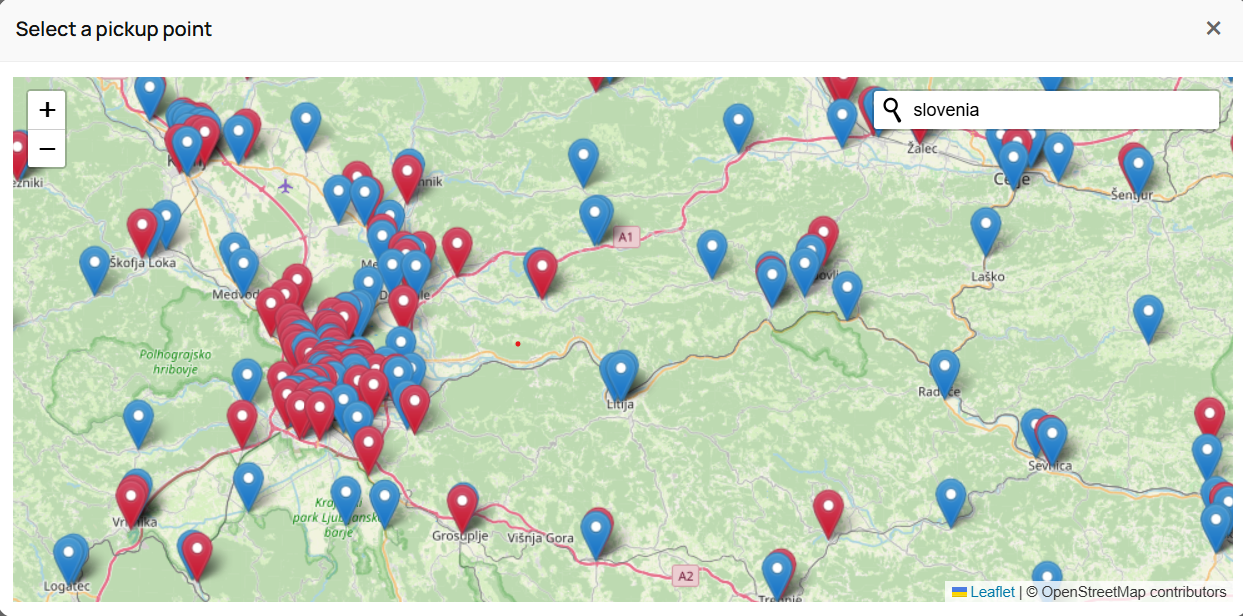
- Pickup Point map integration (Parcel Shops & Lockers)
- Home Delivery shipment calculation
- Real-time validation of delivery availability
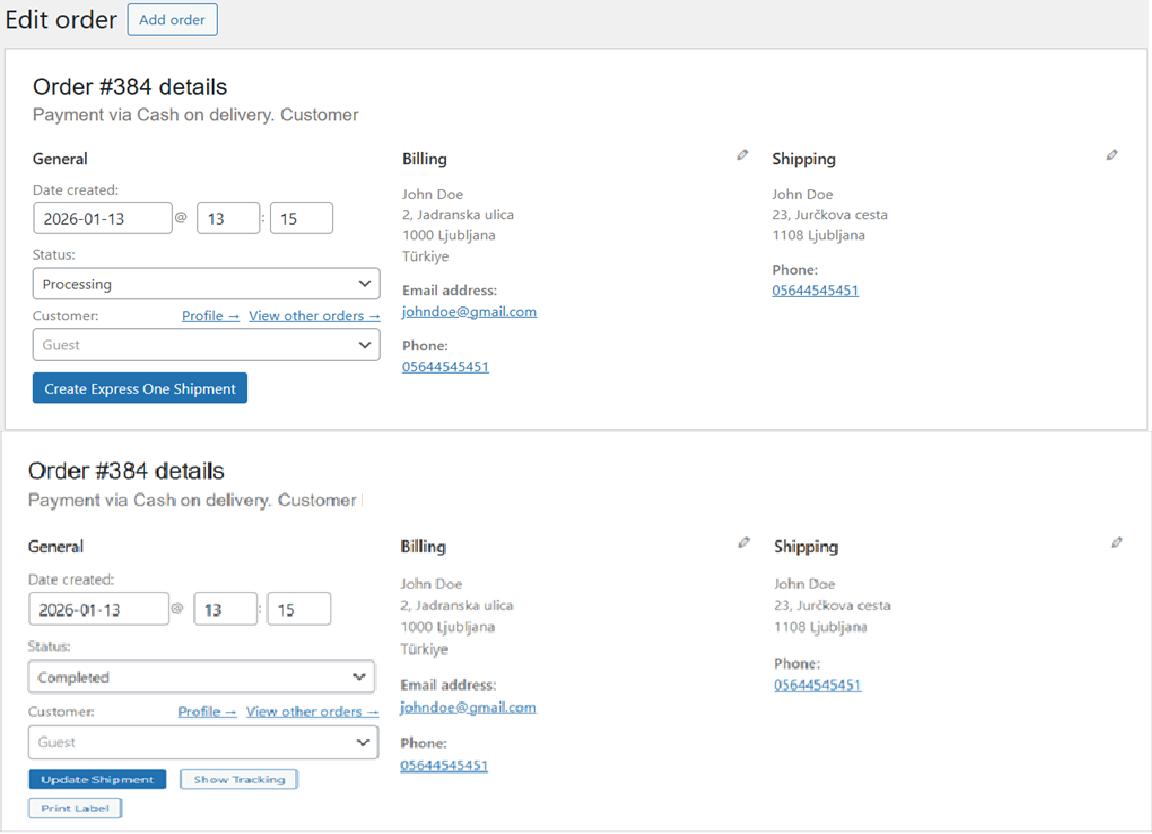
- Automatic creation/update of shipments in Express One system
- Printing of shipping labels
- Tracking link generation inside WooCommerce orders
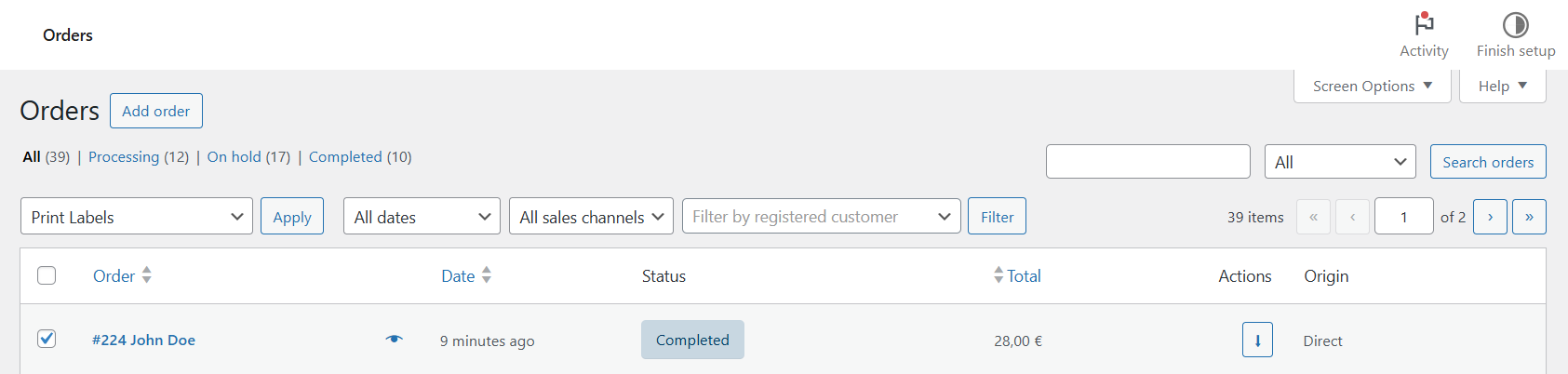
- Bulk shipment creation and multi-label bulk printing from the Orders list
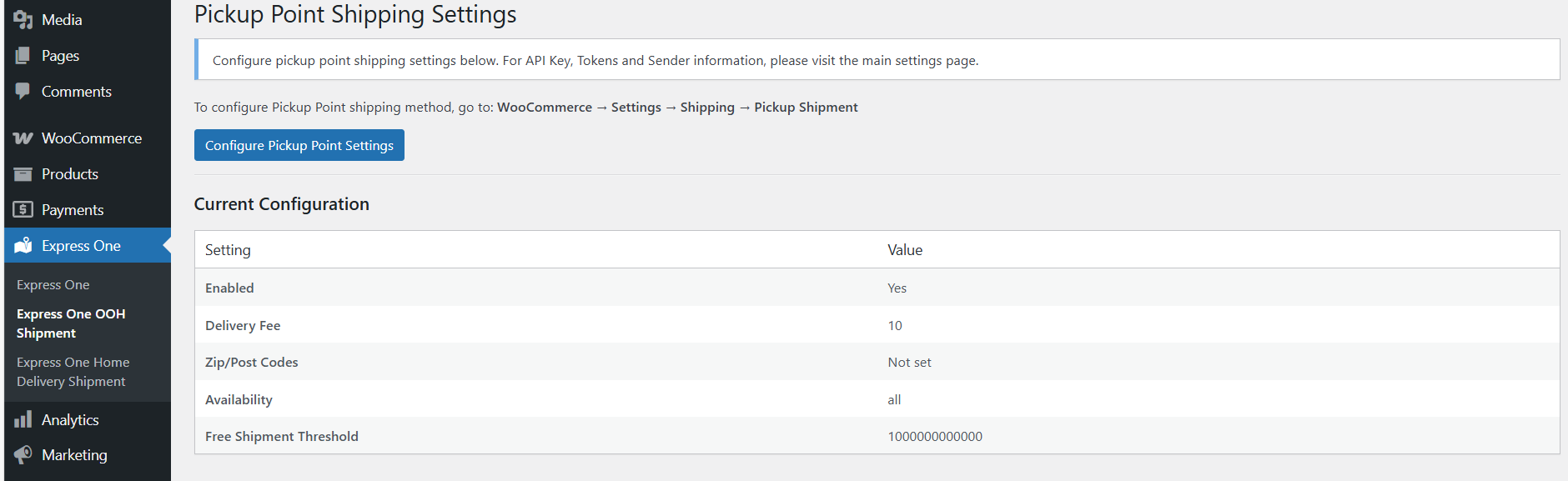
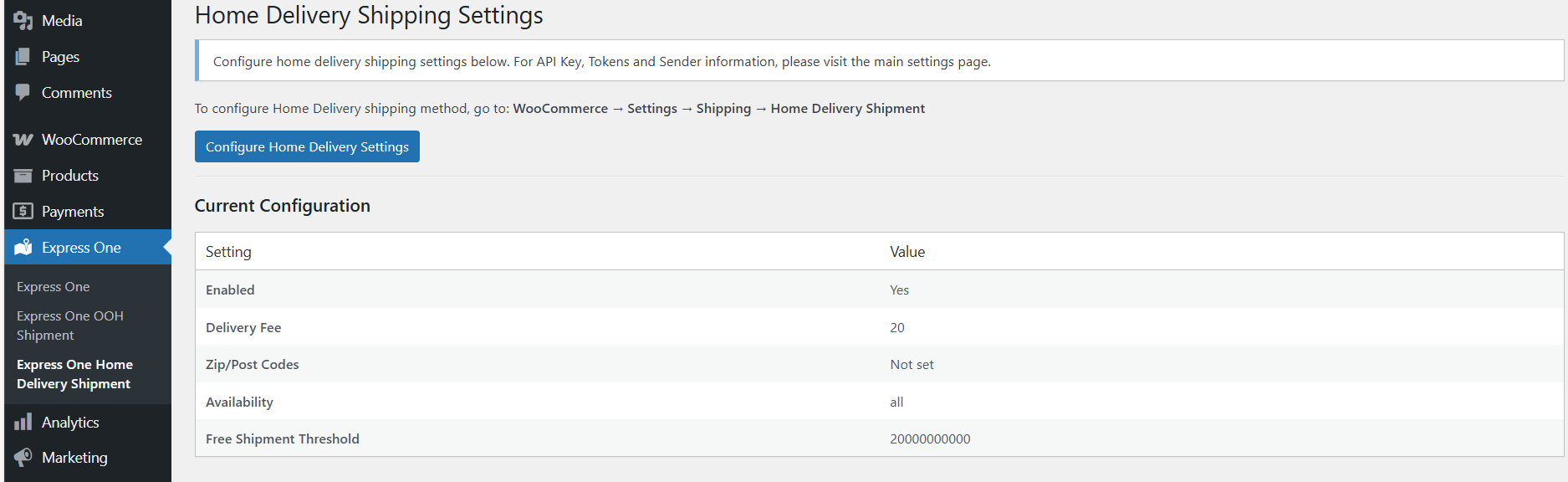
- Separate configuration for Pickup and Home Delivery shipping methods
This plugin requires a valid Express One API Key, provided by Express One.
Features
✔ Pickup Point Map (Leaflet-based)
✔ Marker-based Locker/ParcelShop selection
✔ Automatic checkout address autofill
✔ API validation for ZIP/City delivery availability
✔ Create, update, and manage shipments from WP Admin
✔ Print PDF shipping labels
✔ COD (Cash on Delivery) support
✔ Bulk shipment creation and bulk label printing
✔ Full WooCommerce integration
✔ Admin settings panels for both shipment types
✔ Optional weight-based dynamic pricing tiers for Pickup and Home Delivery, grouped per destination country
✔ Optional maximum parcel size limit for weight-based Pickup
Privacy
This plugin sends customer and order data to Express One API when creating or updating a shipment.
This includes:
- Customer name
- Delivery address
- Phone number
- Order details
- Package weight and contents
This data is required for postal delivery and is processed on the Express One logistics platform.
No data is transmitted to any service other than https://api.expressone.si/.
No analytics, telemetry, or tracking is performed by this plugin.
Official Express One Privacy Policies:
Slovenian (SI):
https://expressone.si/si/informacije/politika-zasebnosti-4
English (EN):
https://expressone.si/en/info/privacy-policy-4
By using this plugin, store owners are responsible for ensuring GDPR compliance for their shop and informing customers about the use of Express One as a shipping carrier.
External API Disclosure
This plugin communicates with the following external service:
Service: Express One API
Base URL: https://api.expressone.si/
Used For:
– Fetching pickup point locations
– Validating delivery availability
– Creating shipments
– Updating shipments
– Retrieving PDF shipping labels
No other external services are contacted.
Notes
This plugin is not an official WordPress.org or WooCommerce plugin.
Express One owns all rights to its API service.
Screenshots
Installation
- Upload the plugin files to
/wp-content/plugins/express-one-shipment/ - Activate the plugin through the Plugins menu in WordPress
- Go to Express One Main Settings
- Enter your API Key and select your NESY Pickup Address (the addresses registered for your account in NESY)
- Configure shipping zones:
- WooCommerce Settings Shipping Pickup Shipment
- WooCommerce Settings Shipping Home Delivery Shipment
- Save settings
Pickup Map will automatically appear on checkout when the Pickup Shipment method is selected.
FAQ
-
Do I need an Express One API key?
-
Yes. You must obtain your API key from Express One. Without it, the plugin cannot operate.
-
Does the plugin send customer data to Express One?
-
Only when creating or updating a shipment, or validating a delivery address.
This data is required to generate shipping labels and provide courier delivery. -
Does the plugin work outside Slovenia (SI)?
-
Home Delivery supports international shipping. For non-SI countries, the plugin checks country eligibility via the Express One API at checkout and shows an error if the destination is not supported. Pickup points are currently available in supported regions only.
-
Does the plugin modify checkout fields?
-
The plugin fills in the chosen pickup point address automatically.
-
Are there any front-end scripts loaded globally?
-
No — Leaflet and map scripts load only on WooCommerce Checkout.
Reviews
There are no reviews for this plugin.
Contributors & Developers
“Express One Shipment” is open source software. The following people have contributed to this plugin.
Contributors
Translate “Express One Shipment” into your language.
Interested in development?
Browse the code, check out the SVN repository, or subscribe to the development log by RSS.
Changelog
1.0.1
- Added Pickup Shipment method
- Added Home Delivery Shipment method
- Added checkout map integration
- Added shipment creation and label printing
- Added admin settings pages
- Added bulk label printing
1.0.2
- Added HPOS (High-Performance Order Storage) compatibility
- Added collie count modal — admins can now specify the number of collies when creating or updating a shipment
- Added express_one_build_collies() helper for round-robin item distribution across collies
- Fixed admin notices on HPOS order edit screens
- Fixed error redirect to use transients instead of query string parameters
- Fixed bulk label handler to use order CRUD for HPOS compatibility
- Updated “Create Express One” button label to “Create Express One Shipment”
1.0.3
- Fixed Parcel Shops error dialog fixed for different page builders
1.0.4
- Added – Approximate Location Check Added
- Fixed – Location Availability Removed in Parcel Shop Location Selection
1.0.5
- Added international shipping eligibility check for Home Delivery method
- Added WooCommerce Blocks checkout support for country eligibility validation
- Orders to non-SI countries are now validated against the Express One API before checkout is allowed
1.0.6
- Fixed bulk “Print Labels” action silently doing nothing when the selected order IDs weren’t passed through as expected — now recovers the IDs and always shows a result notice
- Fixed missing/failed label PDF generation being silent — API errors, empty responses, and disk write failures now show a clear error notice
- Fixed missing API Key / Label Layout ID during bulk printing showing a dead-end blank page instead of a normal admin notice
1.0.7
- Changed the “cargo” flag to false when creating a new shipment
1.1.0
- Added “Pickup Shipment (Weight-Based)” and “Home Delivery Shipment (Weight-Based)” shipping methods
- Added dynamic price tiers by parcel weight, grouped per destination country with a “Default” fallback group
- Added optional maximum parcel size (length + width + height) limit for the weight-based Pickup method
- Added mutual exclusivity between each fixed-rate method and its weight-based counterpart
- The new methods reuse the existing pickup-point map and Home Delivery courier API eligibility checks
- Internal refactor of the plugin’s file structure — no functional changes to the existing fixed-rate methods
1.2.0
- Fixed the shipping price on classic checkout being shown without VAT when WooCommerce is set to display prices including tax. The price now follows the WooCommerce tax display setting, the same as block-based checkout. Order totals are unchanged
- Shipments are now always picked up from a pickup address registered for your account in NESY. The manual “Sender Information” fields were replaced by a “NESY Pickup Address” dropdown under Main Settings; if nothing is selected, your account’s default NESY pickup address is used
- Fixed Pickup orders being rejected at classic checkout with “You must select a pickup point” although a pickup point was selected and shown on the page (e.g. with the WoodMart theme)
- Added a “Select a pickup point” / “Change pickup point” button at checkout, so the map can be reopened after it is closed
- Block-based (Gutenberg) checkout now also requires a pickup point and stores the selected parcel shop on the order
- Fixed parcel shop names containing “&” being saved in escaped form
- Added “Create Express One Shipments” bulk action on the Orders list, so shipments can be created for many orders at once instead of opening each order
- Added “Create Shipments & Print Labels” bulk action that creates the missing shipments and downloads all labels as one PDF; orders that already have a shipment are not sent twice, and failed orders are listed with the Express One error message
- Bulk actions are now also available on the legacy (non-HPOS) Orders screen
- Added Slovenian translations for all new and previously untranslated strings, and made the pickup map texts on checkout translatable
- Slovenian translation is now also shipped under the WordPress Slovenian locale name (sl_SI), so it loads on Slovenian sites